Kafka web UI and MCP server
Your Kafka clusters,
in focus.
Browse topics, records, consumer groups, and schemas across your clusters, and let AI agents read them over MCP.
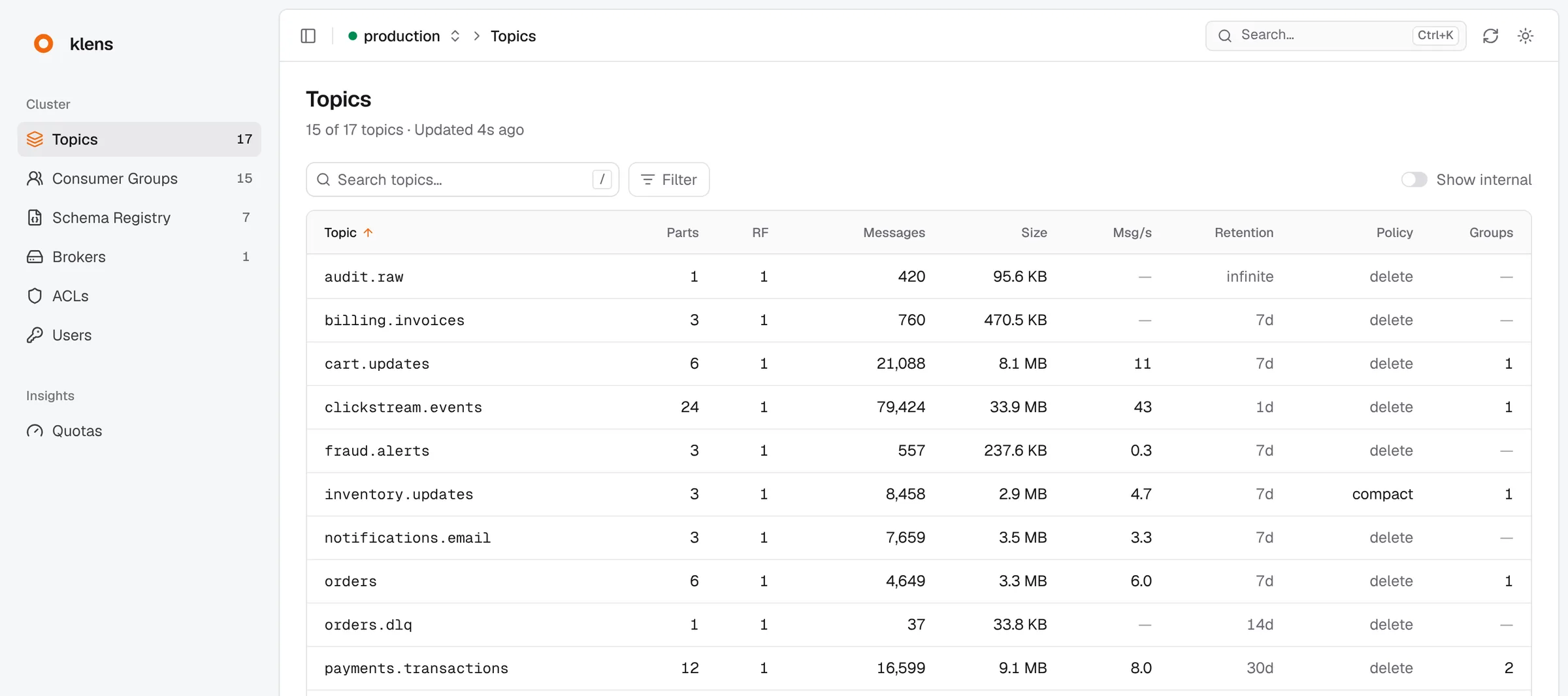
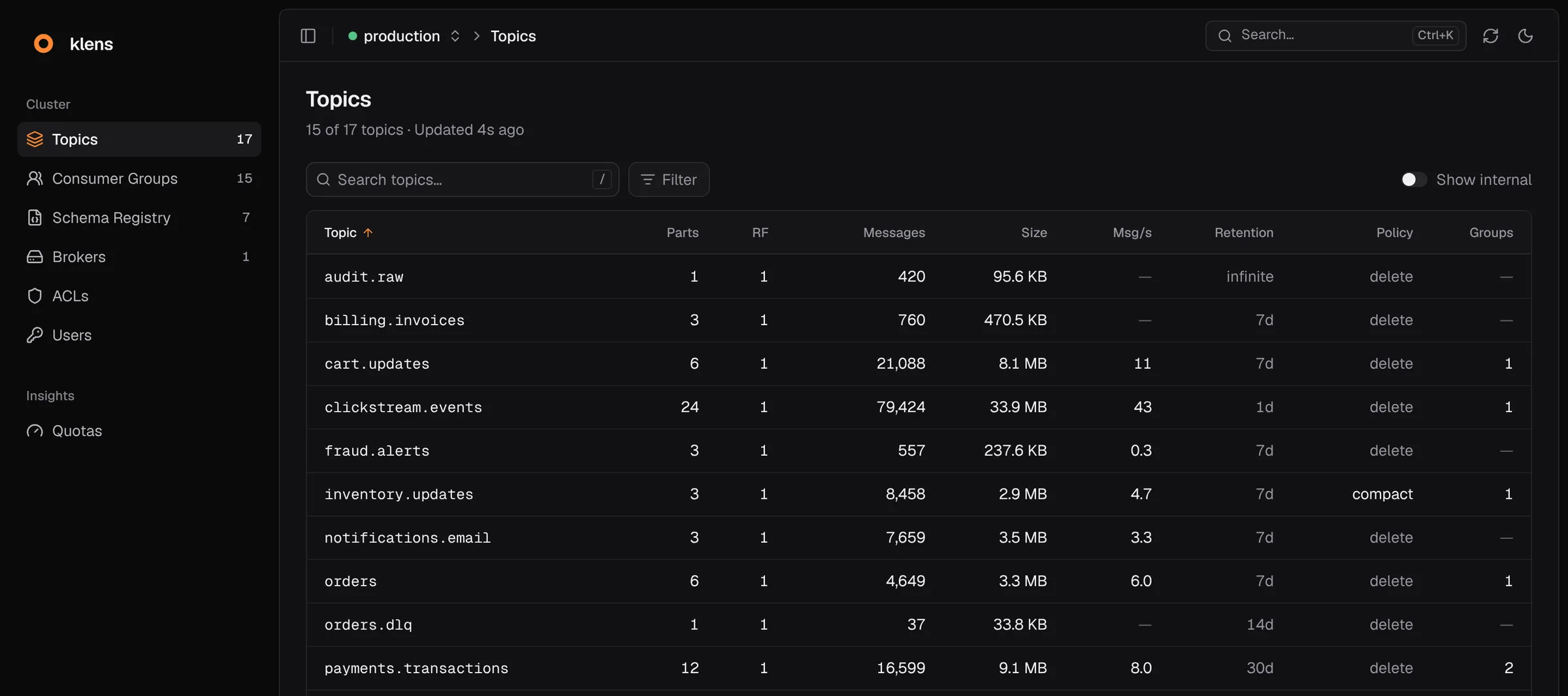
klens is a web UI and an MCP server for Kafka, served by one Rust binary. It keeps a copy of each cluster in memory, so a page costs Kafka nothing, however many people have it open.
Try it out
Name a broker, then start the image.
clusters:
  local:
    bootstrap_servers: [broker-1:9092]
Then open localhost:8080. No broker at hand? The tutorial runs one next to klens with Docker Compose.
$ docker run --rm -p 8080:8080 \
  -v "$PWD/config.yaml:/config.yaml:ro" \
  ghcr.io/marcocondrache/klens:latest
INFO klens: configured kafka clusters clusters=["local"]
INFO klens: auth is off, so klens refuses requests addressed to any host but these hosts=["localhost", "127.0.0.1", "[::1]"]
INFO klens::kafka::ingest: starting ingestion lanes cluster=local
INFO klens::server: listening bind=0.0.0.0:8080
Built for reading Kafka.
Find any record.
Search a topic by text, partition, and time. klens runs the search on the server, decodes Avro, JSON Schema, and Protobuf values, and exports the matches as NDJSON.
Find records in a topicFollow a topic live.
Switch to Live and records appear as soon as Kafka stores them. On a busy topic the tail samples the newest records, so the page stays responsive.
Follow a topic liveWatch consumer lag.
See each group with its members and its lag on every partition. Reset its offsets after a preview of the lag the change leaves, or delete the offsets of a topic it no longer reads.
Reset a group's offsetsManage more than topics.
Beyond topics and groups, klens manages schemas, ACL bindings, SCRAM users, client quotas, and broker configs.
See every privilege- TopicsCreate, delete, add partitions, edit configs
- SchemasRegister versions, set compatibility
- Consumer groupsReset or delete offsets
- ACLsCreate and delete bindings
- SCRAM usersSet and delete credentials
- Client quotasSet and remove quotas
- BrokersEdit broker configs
- RecordsProduce and delete records
Light on your brokers.
A page costs Kafka nothing.
klens reads each cluster on a fixed schedule into an in-memory projection, and every page, API call, and most MCP tools read that copy. The load on Kafka depends on the size of the cluster, not on how many people look.
Record reads, live tails, broker configs, and changes go to Kafka only when someone asks.
How klens reads KafkaSafe to open up.
Read-only by default.
klens changes nothing on a cluster until you mark it writable. With sign-in and roles, only the people who hold the privilege for a change can make it.
Allow changes on a clusterclusters:
production:
bootstrap_servers: [broker-1:9093, broker-2:9093]
# writable: false is the default
staging:
bootstrap_servers: [staging-1:9092]
writable: trueSign in with OpenID Connect.
Give each group in your identity provider its own privileges on each cluster. A cluster that no role covers stays invisible.
Require sign-inHide private fields.
Hash, mask, or drop card numbers, emails, and any other field for every reader, admins included. Equal values get equal tokens, so records stay easy to correlate.
Search sees what the page shows, so a filter can never recover a hidden value.
Hide sensitive fields{ "order": 1042, "card": { "number": "kx:3f9a2c481b7d6e05"hash drop }, "customer": { "email": "***"mask }}Ready for agents.
Ask your agent about Kafka.
Turn on MCP. Agents in Claude Code, VS Code, or Cursor then read the same projection as the UI, so most calls cost Kafka nothing.
Connect an AI agentclaude mcp add --transport http klens http://localhost:8090/mcpUnder a ceiling you set.
The mcp block names the clusters agents reach and the privileges they hold. Agents change nothing until it names a write.
mcp:
  bind: 127.0.0.1:8090
  privileges: [topic_configs, schema_text] # no record payloads or ACLs
clusters: [production, staging]- klens_clustersClusters and their health
- klens_searchTopics, groups, brokers, and subjects by name
- klens_group_describeMembers, lag per partition, what looks wrong
- klens_schema_getThe text of a schema, read from the registry
Open source, one binary.
- One Rust binary.The UI, the JSON API, and MCP come from one process with one YAML file.
- Runs where Kafka runs.Start the image with Docker, or install the Helm chart on Kubernetes.
- MIT licensed.The code, the chart, and these docs are on GitHub.
- Read the docsOpen GitHub
Bring Kafka into focus
one lens for every cluster.